Changelog
Kumo for Windows 0.1.1
Kumo 0.1.1
Fixes
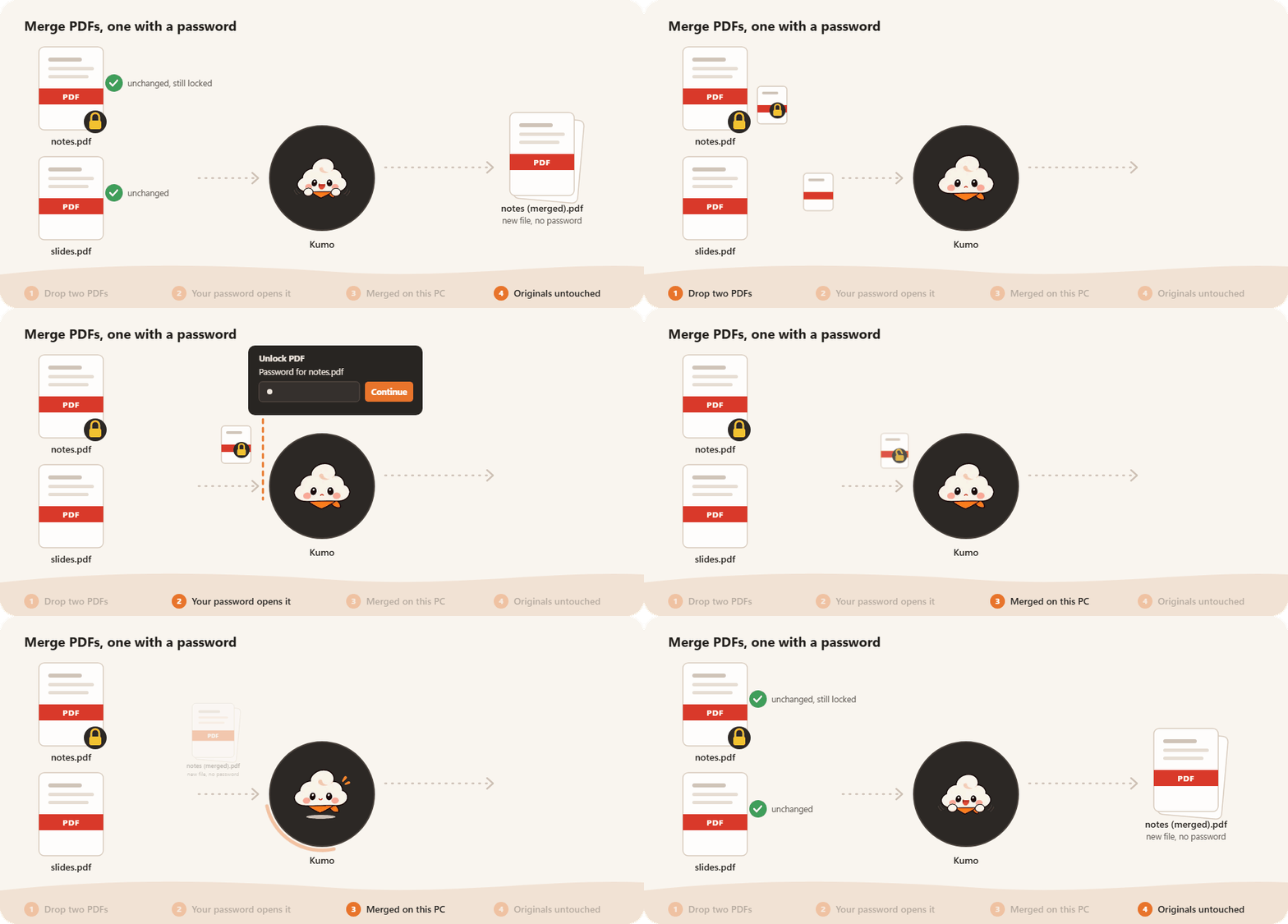
- Fixed merging password-protected PDFs with unprotected PDFs. Kumo now asks for the password to open each protected input and saves the merged PDF without a password.
- Kept running file operations visible when their source folder is minimized or closed.
SHA-256 checksums are included in SHA256SUMS.txt.
Kumo for Windows 0.1.0
Kumo 0.1.0
Kumo is a small Windows companion for your files. Drag files in File Explorer, tap Shift, and a radial menu appears right under your pointer with what you can do with them.

What Kumo can do
- Images: convert to JPG, PNG, WebP or BMP, compress, rotate, and crop by hand in a preview editor.
- PDF: merge, split, extract pages, protect with a password, and turn pages into images.
- Works on several files at once and never changes your originals.
- Open the menu for the files selected in Explorer or on the desktop with
Ctrl+Alt+K.
SHA-256 checksums are in SHA256SUMS.txt.